MidiStickers
Academically accurate app for music theory.
View chords, roman numerals, figured bass and functions as you play.
Learn with any MIDI keyboard using the Guided Practice Hub.
🌐 EN | de | es | fr | pt-BR
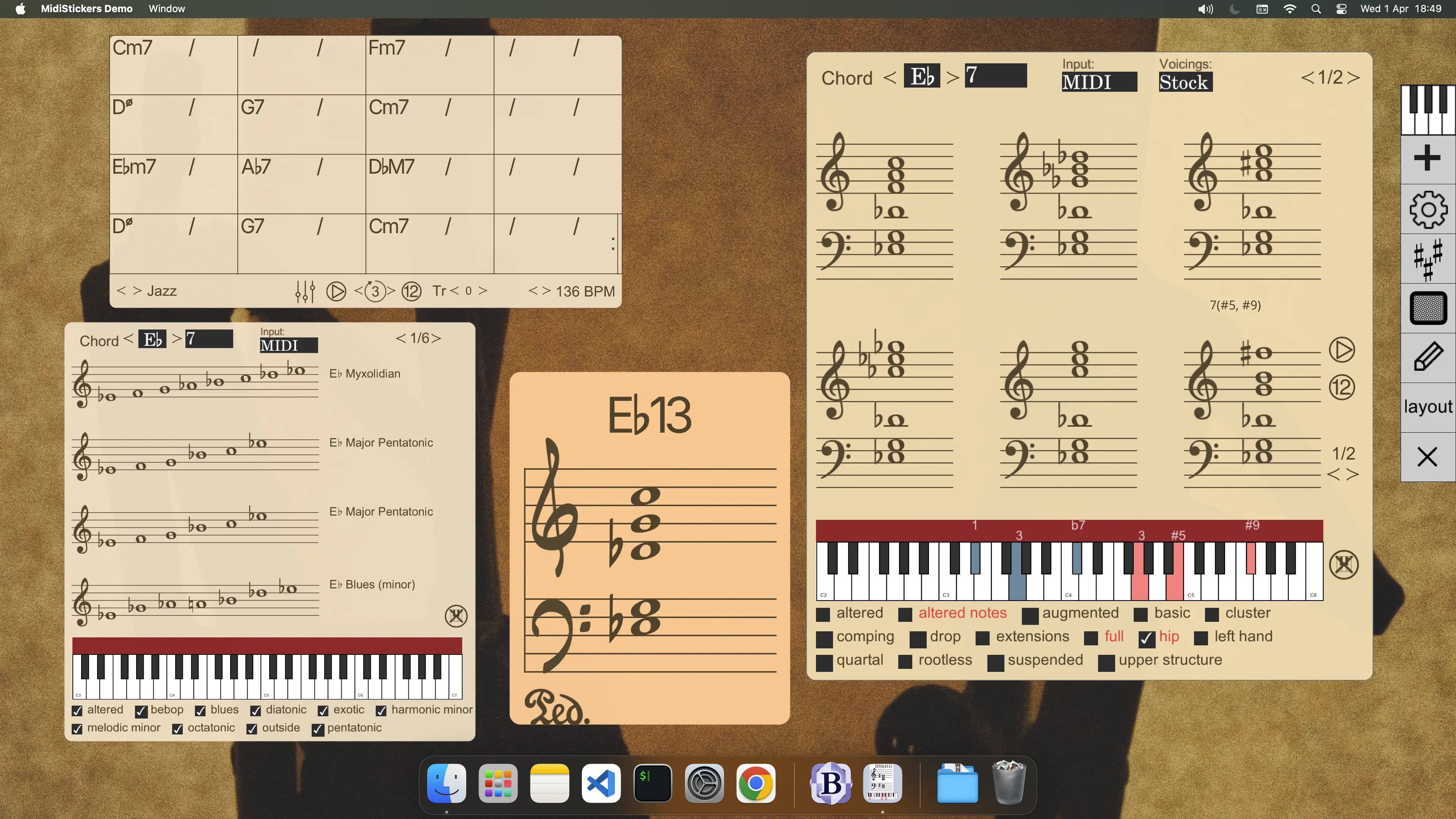
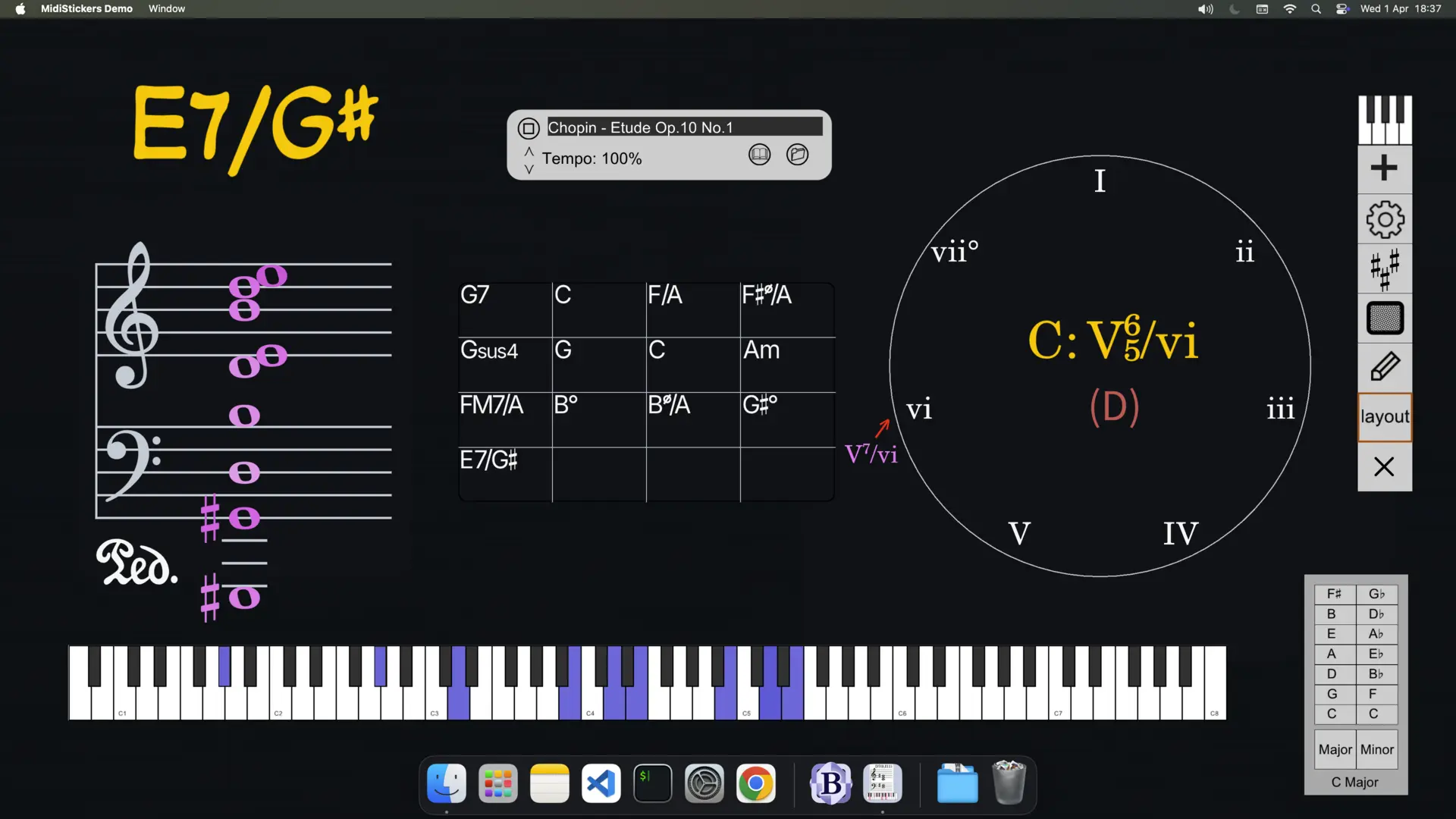
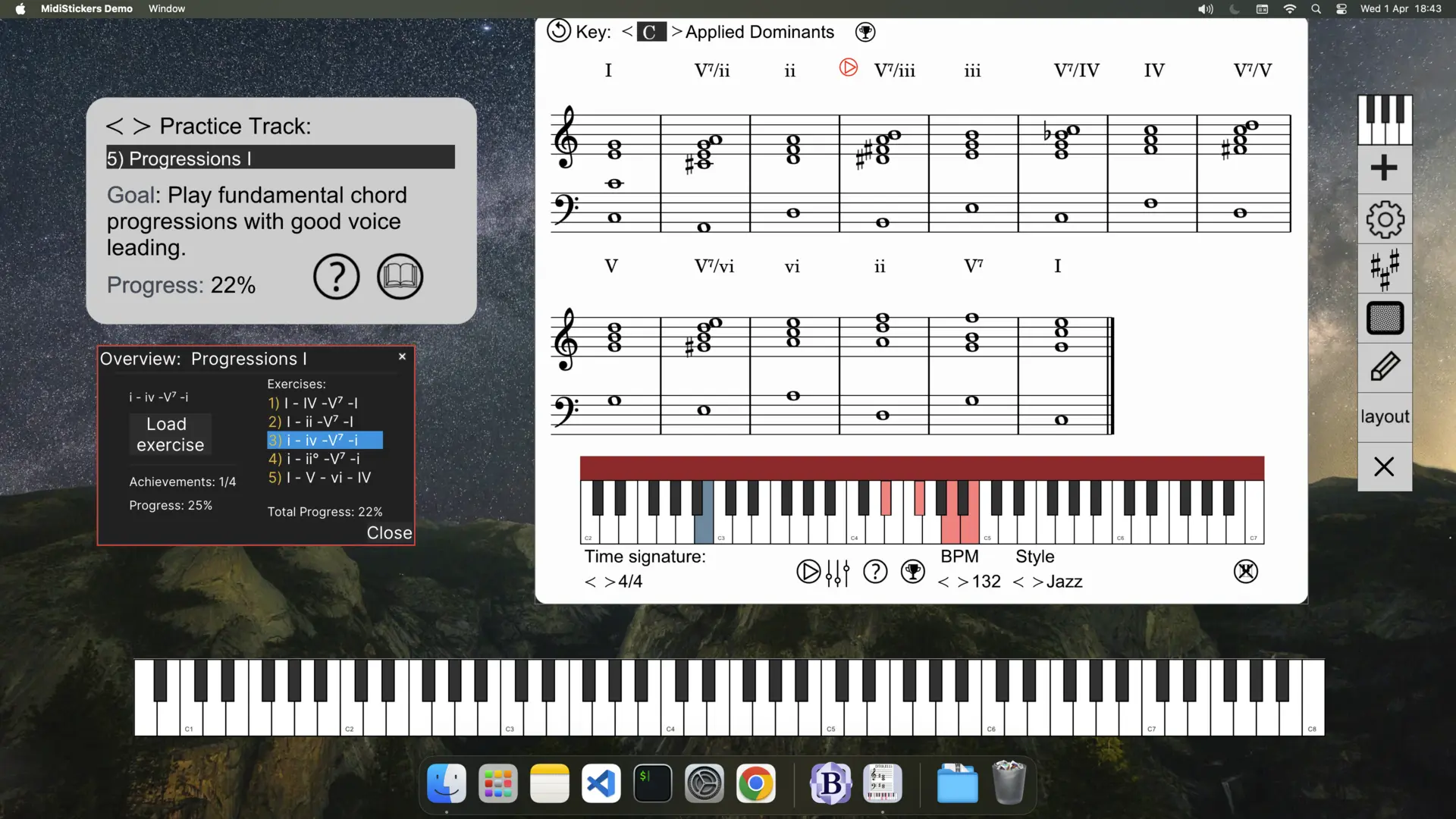
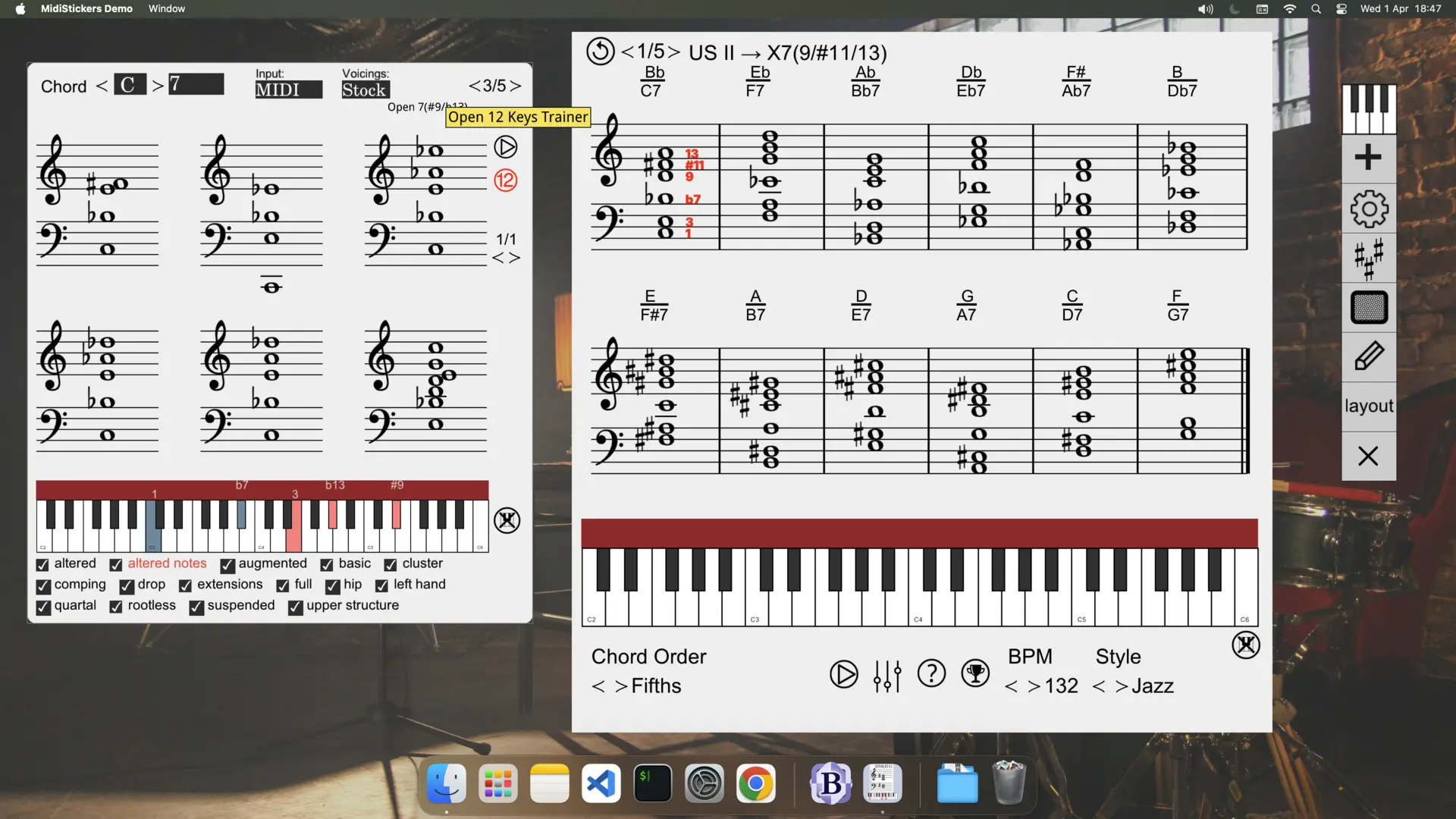
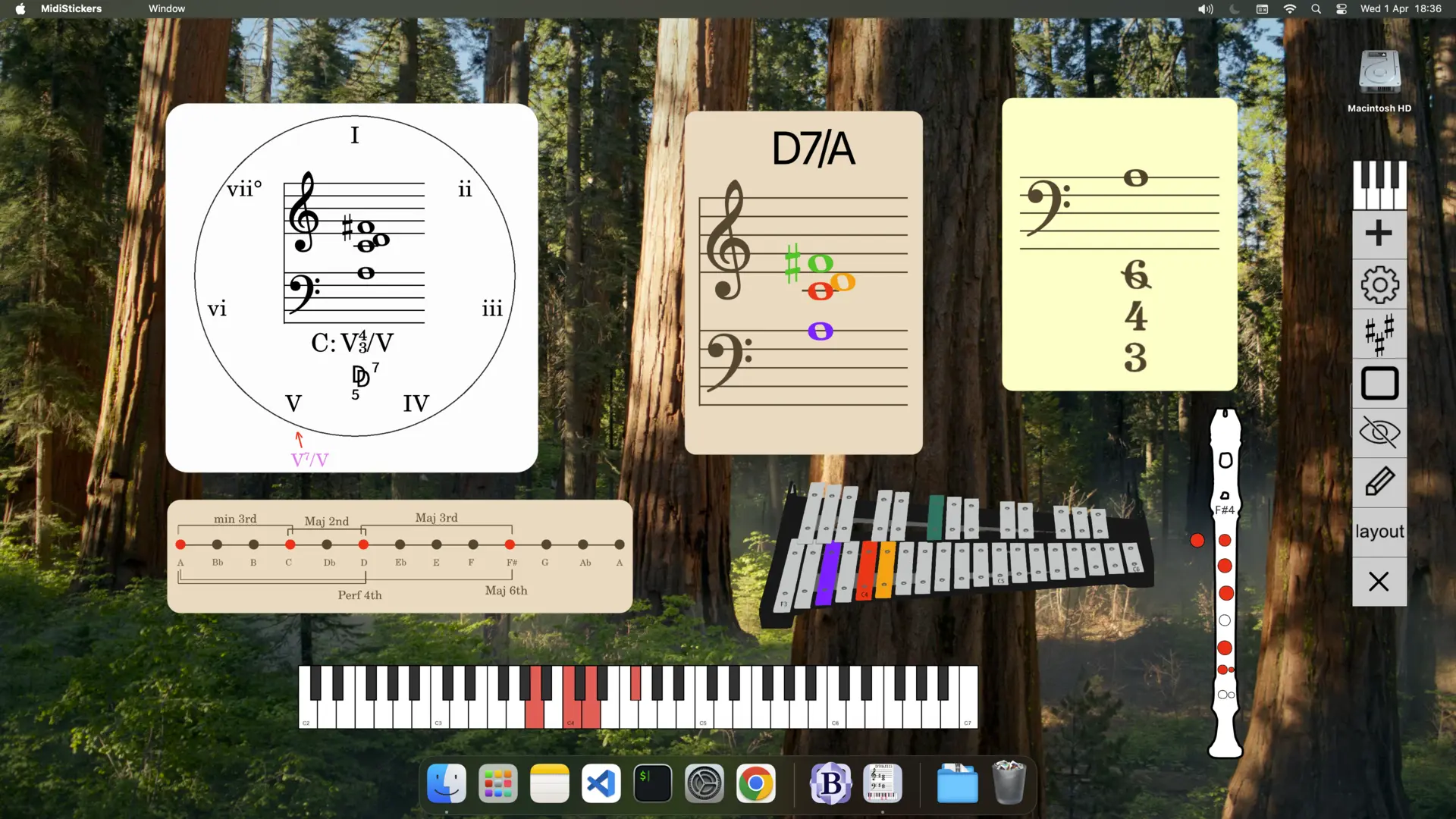
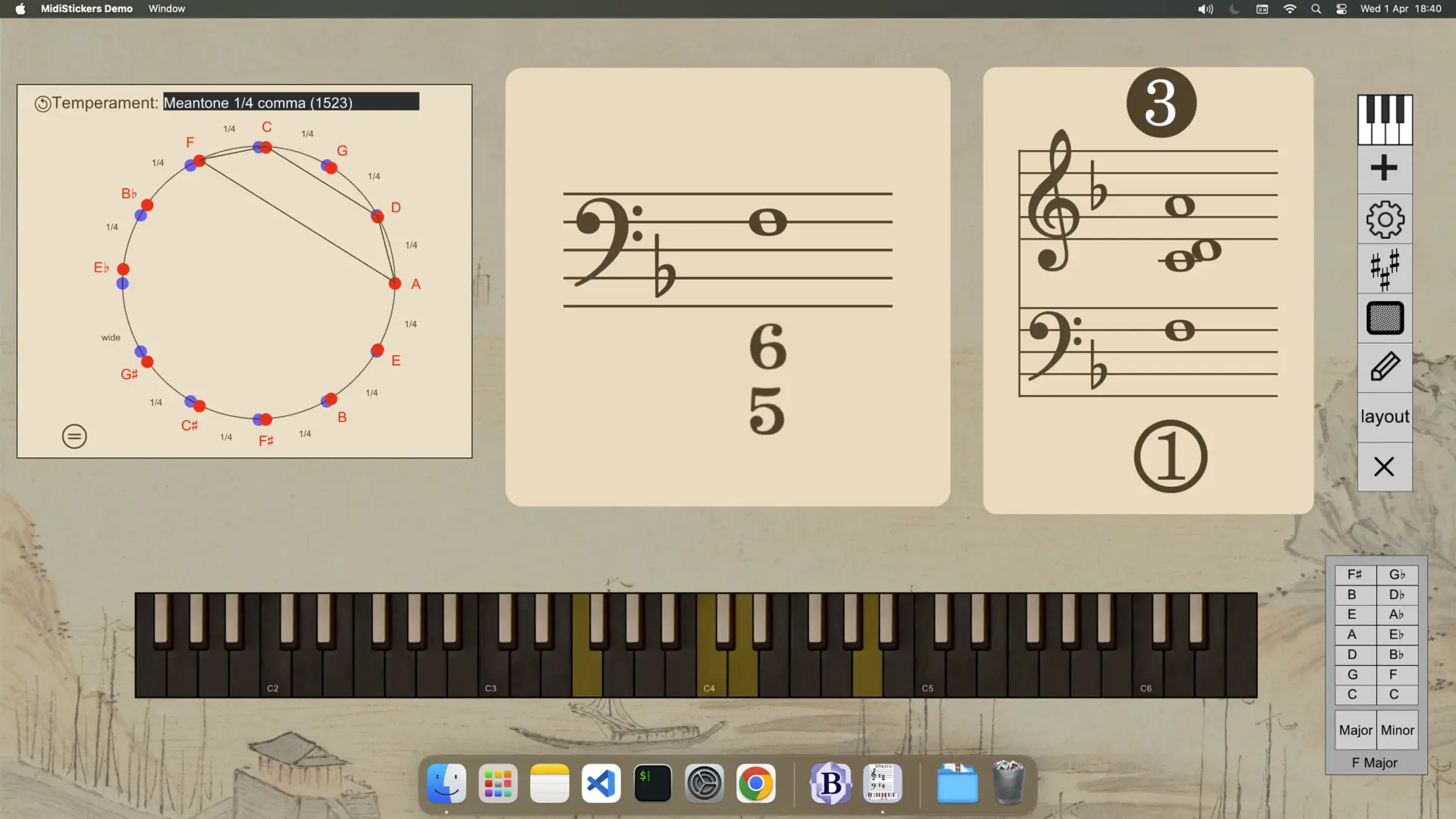
Demonstration
MidiStickers: Music Theory Software
Interactice Music Theory
Visualize Music Theory
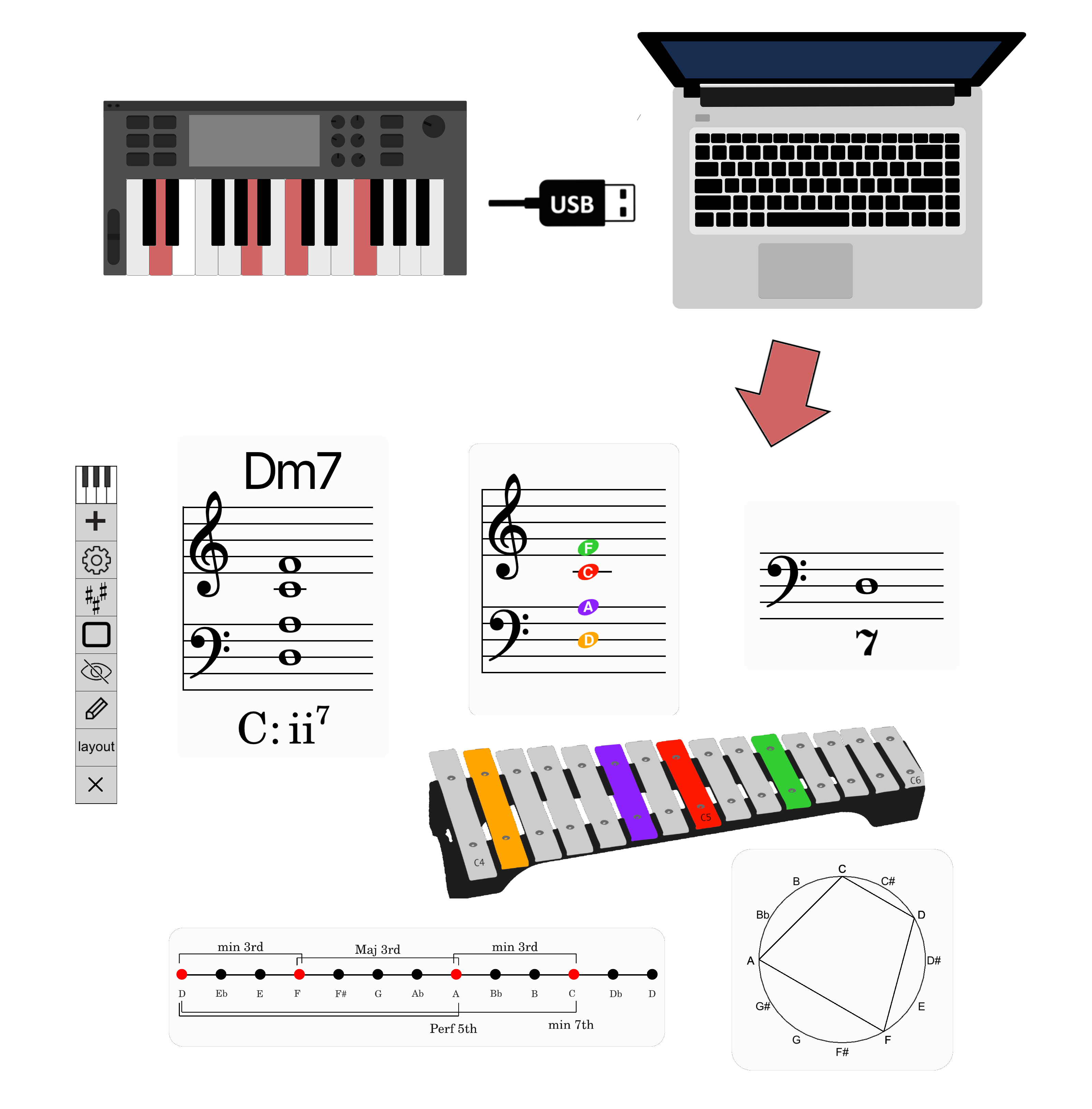
Play on your MIDI Instrument and see chord symbols, Roman Numerals, Figured Bass and Harmonic Functions.
Learn from MIDI Files
Get instant chord analysis on any MIDI File.
Harmony Practice in All 12 Keys
Use the Guided Practice Hub to practice intervals, scales, chords and progressions.
Understand Music with Colors
Use coloring schemes to better visualize notes, degrees, harmonic function and dynamics.
Integrated Teaching Tools
Use on-screen detachable widgets for easy integration with video calls and recording software.
MidiStickers Pro FAQ
Check out the User Guide and YouTube channel for more information.
Does MidiStickers works with any MIDI Keyboard?
MidiStickers Pro works with MIDI keyboard - however, we recommend at least a 49-key keyboard for completing the interactive workbook (Guided Practice) exercises.
Do I need an accompanying music theory textbook?
MidiStickers includes a series of short Lessons that introduce each topic before corresponding practical exercises on the keyboards. These lessons were carefully written and reviewed by experts for maximum clarity and conciseness. While the material is designed to be self-contained, users seeking a deeper understanding may benefit from studying alongside traditional textbooks.
Are all exercises included in my purchase or do I need additional subscriptions or payments?
Yes. All lessons and exercises are included with your MidiStickers Pro perpetual license for individual users. We believe music education should be both accessible and cost-effective, and we plan to continue expanding the library with new content at no additional cost for individual users.
What topics are covered in the software?
MidiStickers includes visualization tools for intervals, chords, roman numerals, figured bass, function symbols, scale degrees and other educational tools. You can see a full list of features in our main page.
Is the software intended for students or teachers?
MidiStickers was developed to support both teaching and self-study. Teachears will find the detachable widget components especially useful for integrating with their online or in-person lessons, while students will specially benefit from the Guided Practice exercises, using the visualization widgets to complement their learn.
What sets MidiStickers apart from other music theory software?
Most music theory apps cover scales, chords and intervals. MidiStickers goes further, with real-time analysis of Figured Bass, Roman Numerals, German Function Symbols - plus extensive databases of jazz voicings, chord-scale relationships and progressions, all responding live to your MIDI input. Every tool follows established textbook conventions, which is why MidiStickers is trusted by university music teachers across multiple countries.
How does licensing work? Can I use the same license on different devices?
MidiStickers Pro is a one-time purchase, no subscriptions or renewals. You can install it on multiple devices, but only one can be active at a time. To switch devices, access the User Area.