· 6 min read
The Best Music Software for Music Theory Courses
Discover why MidiStickers is the ideal companion for music theory courses: a visually rich, keyboard-first tool trusted by university teachers for real-time harmony analysis, guided practice, and engaging classroom demonstrations.
If you teach or study music theory, you already know the gap between understanding a concept on paper and hearing and playing it with ease. Writing Roman numerals in a textbook is a start, but playing a ii–V–I progression confidently is something else entirely.
That gap is exactly what MidiStickers was built to close.
What Makes a Great Companion for Music Theory Courses?
Before diving into what MidiStickers does, it’s worth asking: what does a music theory course actually need from software?
A great tool for music theory courses should:
- Visualize theory concepts in real time: not just display static diagrams, but respond live to what a student or teachers plays
- Cover the full curriculum: from basic intervals and scales to roman numerals, figured bass and harmonic functions.
- Work for teachers and students alike: supporting classroom demonstration as much as independent practice.
- Integrate smoothly into existing workflows: work alongside DAWs, notation software, and video conference/streaming platforms.
- Follow textbook-accurate conventions: what students see on screen matches what they read in their course materials.
Most music theory apps check one or two of these boxes. MidiStickers checks all of them, because it was built precisely to fill those gaps.
Real-Time Visualization That Covers the Whole Curriculum
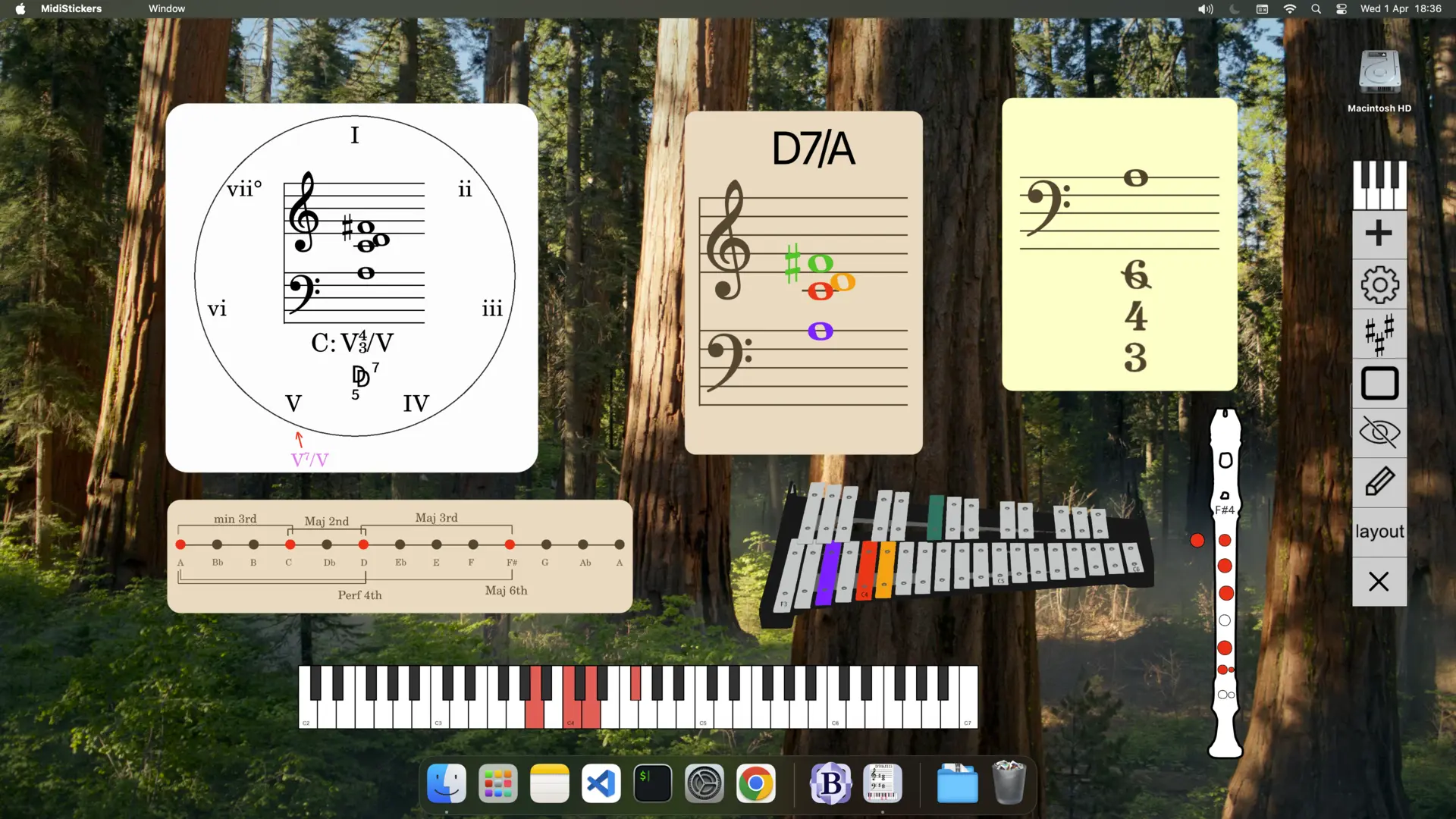
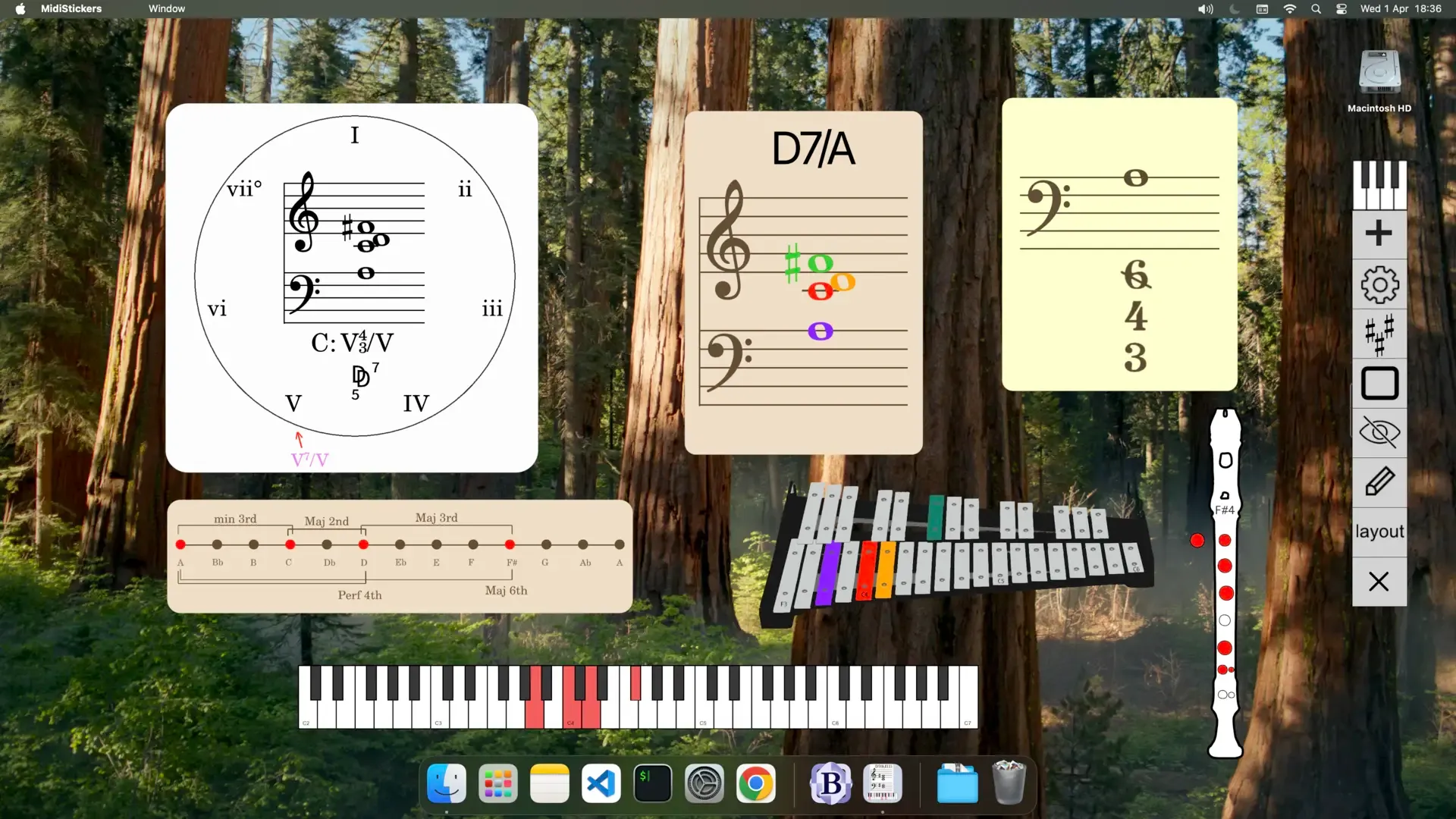
The core of MidiStickers is its real-time MIDI visualization engine. As you play, you see:
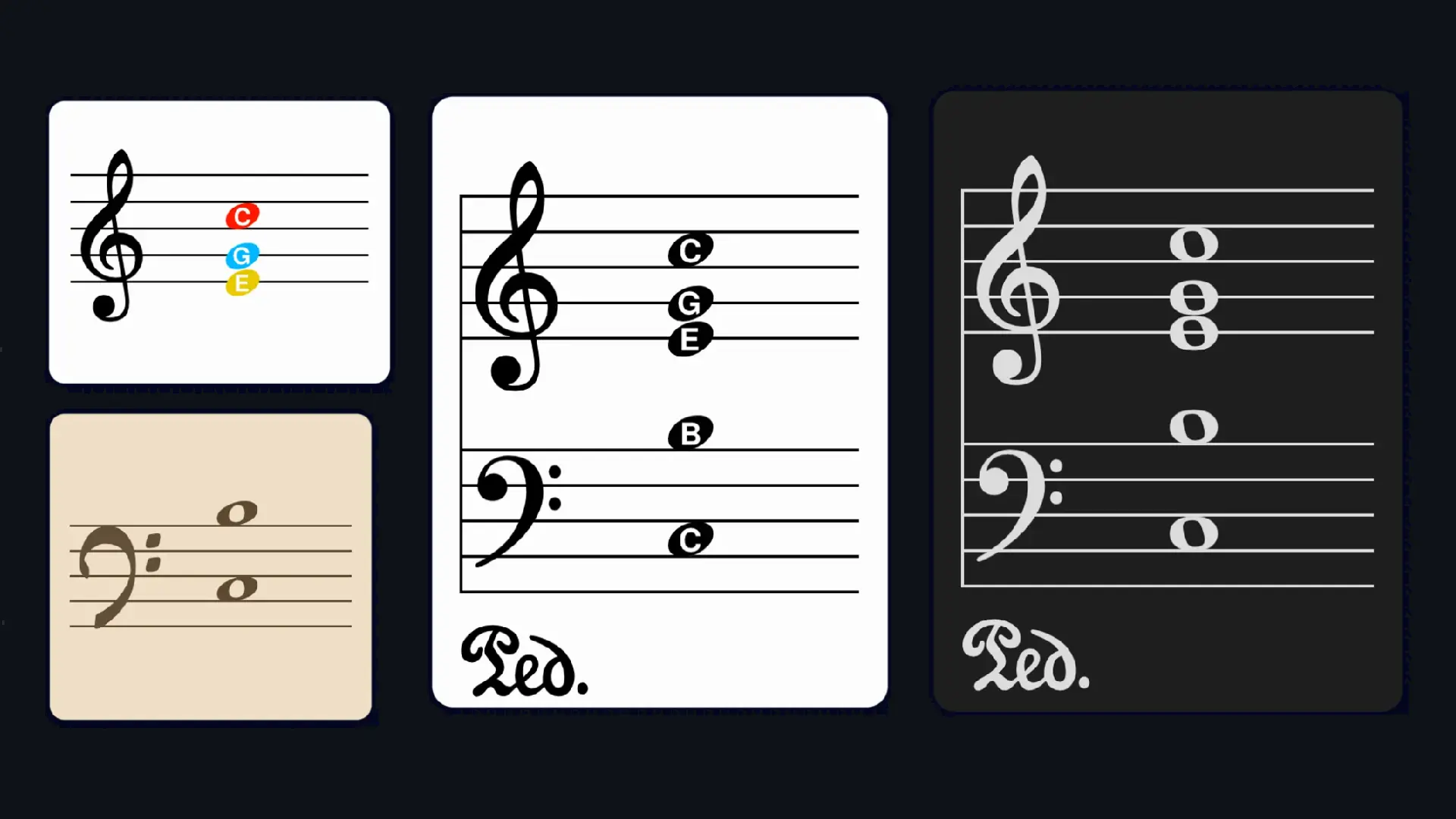
- Notes on the staff with adequate accidentals
- Chord symbols in standard notation
- Roman numerals for scale degree harmony analysis
- Figured bass for baroque harmony and partimento courses
- German Function Theory symbols
- Dynamic Colors Schemes to distinguish tonic, subdominant, and dominant function visually
This isn’t a simplified overview, what MidiStickers covers is the essential analytical vocabulary music theory teachers actually use for tonal harmony. Whether your course covers four-part writing, classical harmony, jazz theory, or historical counterpoint, MidiStickers speaks your language.
Coloring That Teaches, Not Just Decorates
MidiStickers’ color system is one of its most pedagogically powerful features. Colors can be mapped to:
- Note names (for beginners learning pitch identification)
- Scale degrees (for understanding function within a key)
- Harmonic function (tonic, dominant, subdominant)
- Dynamics: a unique feature that maps velocity to color in real time, making piano technique visible
This visual layer turns abstract concepts into something students can see happening, making it far easier to internalize relationships that usually take years to feel natural.
A Guided Practice Hub Built Like a Keyboard Harmony Workbook
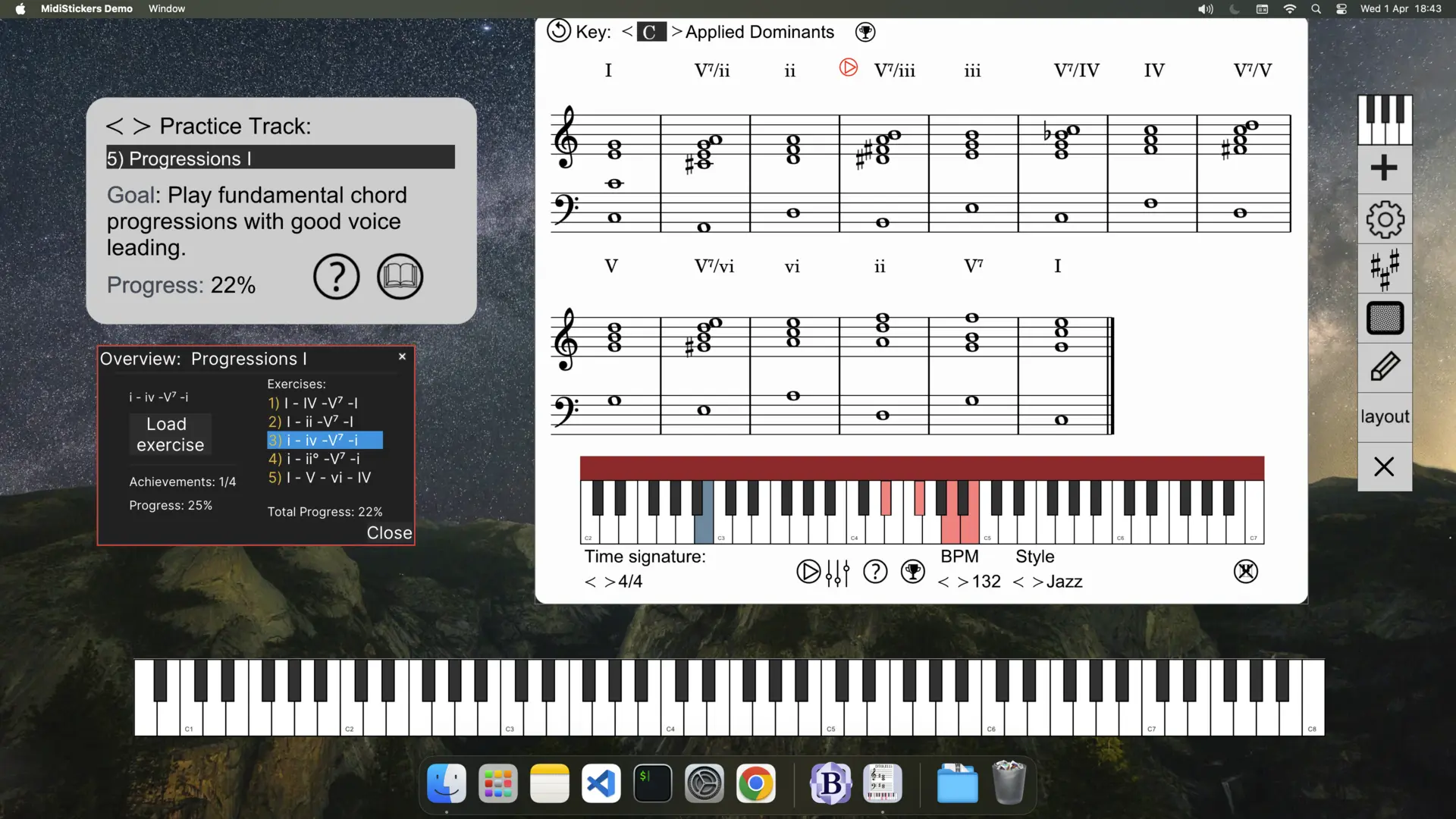
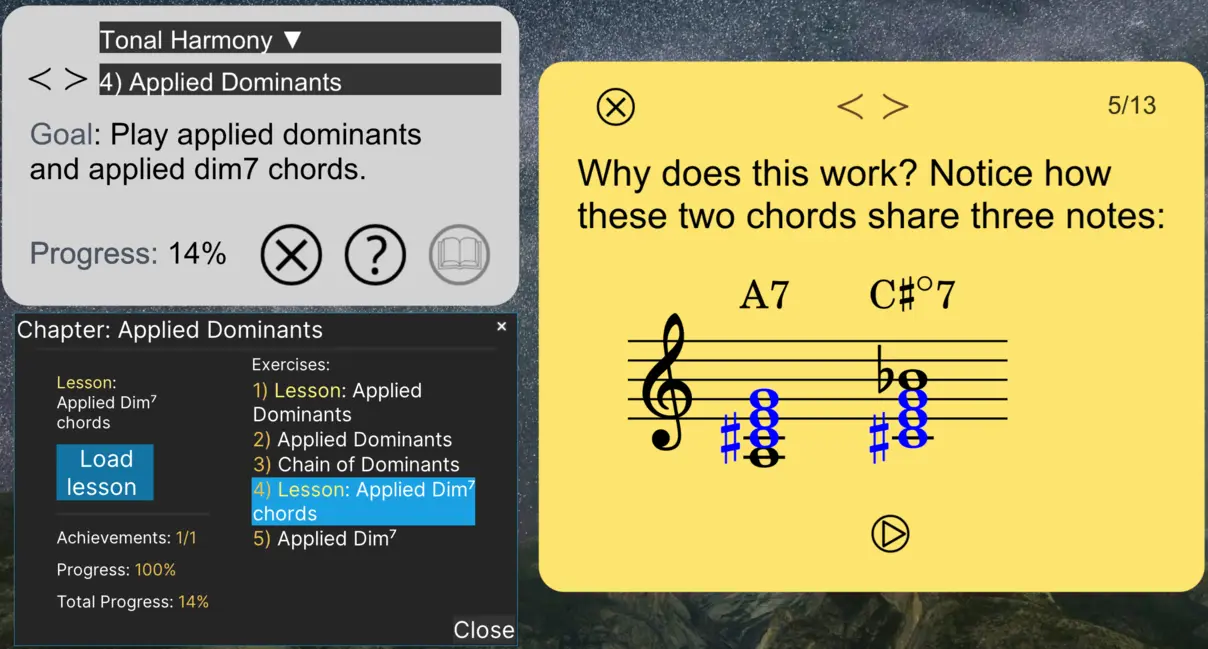
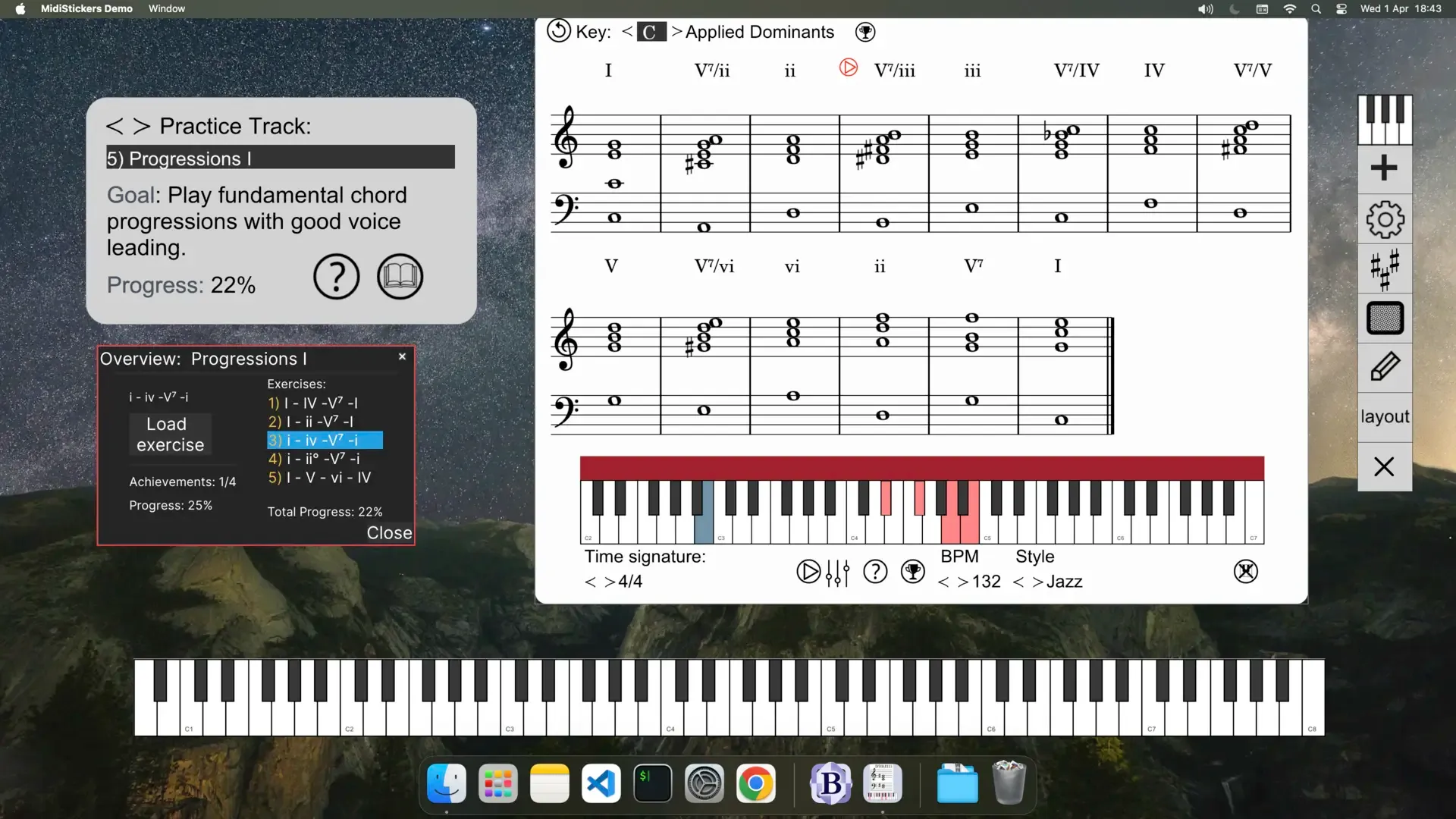
Beyond visualization, MidiStickers includes a Guided Practice Hub - a structured, progressive learning path designed around hands-on keyboard exercises. Think of it as an interactive keyboard harmony workbook integrated directly into the software.
Topics covered in Guided Practice include:
- Intervals and scales
- Triads and seventh chords
- Diatonic progressions
- Extended chords
- Circle of fifths progressions
- Major scale modes
- Altered dominants and melodic minor modes
- Drop 2 voicings and tweaked Drop 2 voicings (Jazz)
- Partimento schemas
Each exercise comes with auto-generated backing tracks, real-time feedback, and progress tracking, giving students a genuine sense of forward momentum. With around 100 curated exercises drawn from a library of over 300 exercises available in MidiStickers, the Guided Practice is a great companion for an introductory Music Theory course.
Why This Matters for Teachers
Most music theory software puts the burden of structured practice on the student. MidiStickers’ Guided Practice gives students a clear, sequenced path to follow on their own — freeing up lesson time for the higher-order work that only a teacher can provide: feedback, context, and creative direction.
Built for the Classroom, Not Just the Practice Room
MidiStickers was developed by music teachers, for music teachers — tested through live college-level courses in counterpoint, harmony, music analysis, figured bass, partimento, and jazz harmony.
Detachable Widgets for Seamless Presentations
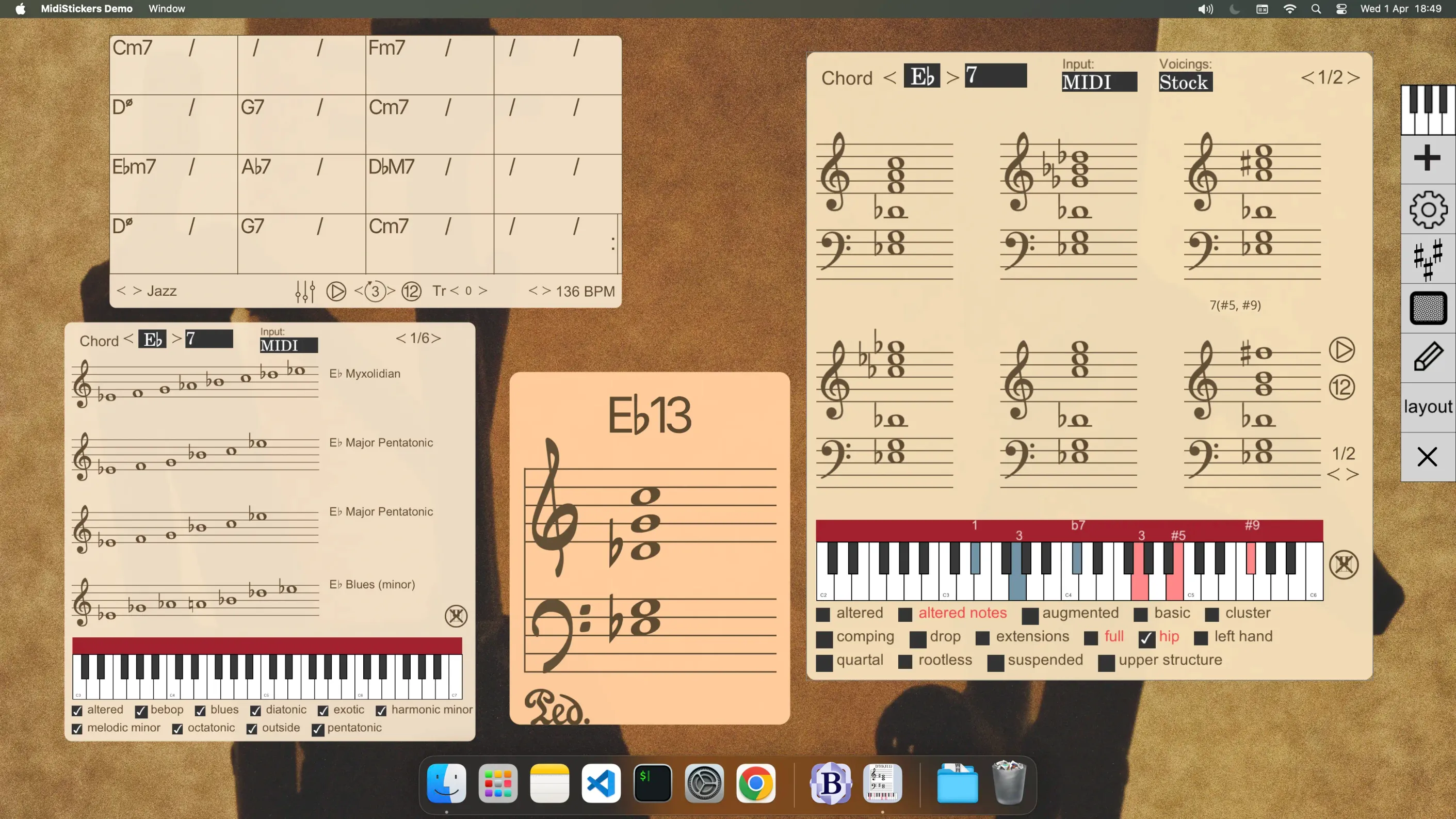
Every component in MidiStickers can be used as a detachable, floating widget — meaning you can position a chord symbol display in one corner, a staff notation window in another, and a Roman numeral analyzer alongside your DAW, notation software, or slide deck. This makes MidiStickers ideal for:
- Live classroom demonstration with a projector or large screen
- Online lessons via Zoom or Google Meet — just share your screen!
- Video content creation — record your screen and MidiStickers elements appear naturally without any complicated setup
Preset Layouts and Annotation Tools
Teachers can save their favorite screen arrangements as presets, making lesson setup a matter of seconds rather than minutes. Built-in on-screen annotation tools let you write, highlight, and draw directly on screen — no need for a separate whiteboard app.
Compatible with Your Existing Tools
MidiStickers is designed to work alongside your existing setup, not replace it. Use it as an overlay with your DAW, with notation software like Sibelius or Finale, or with any recording setup. It supports both Windows and macOS.
What Sets MidiStickers Apart from Other Music Theory Software
There are other music theory apps out there. Here’s what makes MidiStickers genuinely different:
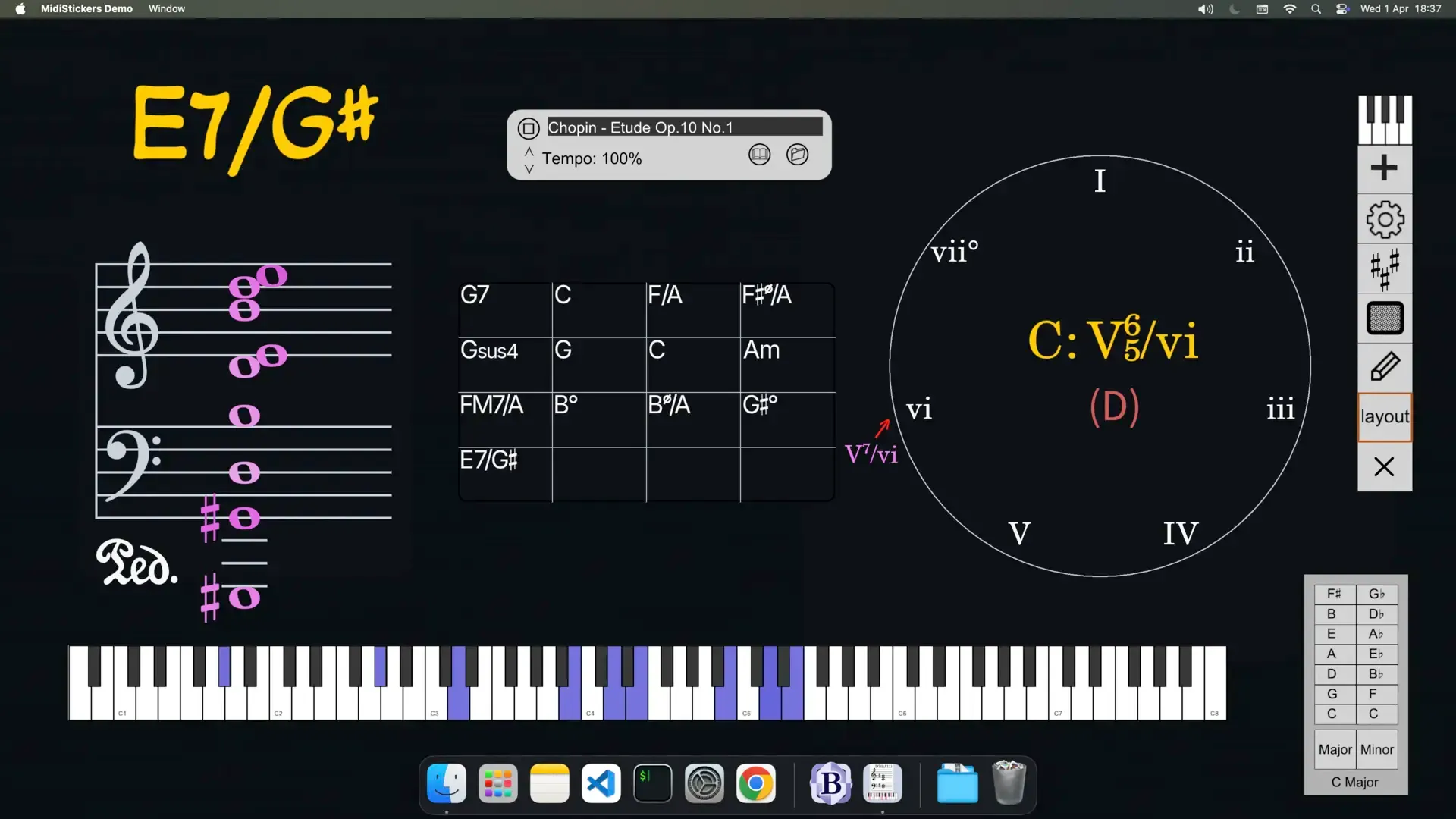
Depth of harmonic analysis. Most apps stop at chord names. MidiStickers adds Roman numerals, figured bass, German function symbols, and harmonic function coloring — simultaneously, in real time.
Academic accuracy. MidiStickers follows established textbook conventions, which is why it’s trusted by university music teachers across multiple countries. The analysis you see on screen matches what students are expected to know for exams and coursework.
Scope. From a beginner’s first scale to partimento schemas and Drop 2 jazz voicings, MidiStickers covers more ground than any comparable tool. It grows with your students — and with your curriculum.
Keyboard-first design. Unlike apps that treat the keyboard as an input device and the screen as the product, MidiStickers treats the act of playing as central. The keyboard is where theory happens; MidiStickers makes that visible.
One-time purchase, no subscriptions. All Guided Practice content is included in the MidiStickers Pro perpetual license. No paywalls, no tiers, no monthly fees.
Who Is MidiStickers For?
MidiStickers is the right tool if you are:
- A music theory teacher at a conservatory, university, or music school looking for software that can keep up with your curriculum
- A piano teacher who wants to add a theory component to lessons without switching between multiple apps
- An online music teacher who needs tools that work cleanly over video calls and screen recordings
- A student enrolled in a harmony, counterpoint, or jazz theory course who wants to practice more effectively between lessons
- A self-learner who wants a structured, academically rigorous path through keyboard harmony
Getting Started
MidiStickers Pro is available for Windows and macOS as a one-time purchase of $59 — no subscription required. All Guided Practice exercises and future content updates are included with your license.
If you teach music theory, or if you’re serious about learning it, MidiStickers is the software that belongs in your setup.
Learn more about the MidiStickers Pro software.